You’re planning a new business website.
You want it to look professional, work well on mobile, appear in search results, and help turn visitors into enquiries or customers.
But before you start designing, you face a decision:
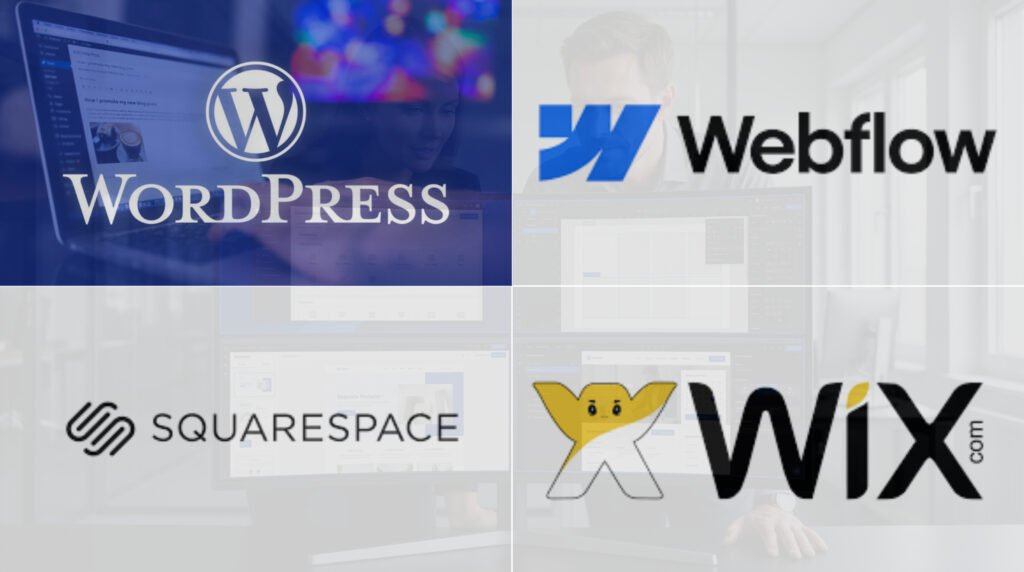
Should you build your website with WordPress, Webflow, Squarespace, or Wix?
All four platforms can support professional business websites.
They can help you publish pages, manage content, connect business tools, and present your services or products.
But they differ in design control, hosting, maintenance, pricing, ecommerce, and how easily you can expand or move your website later.
Choosing the wrong platform doesn’t always cause problems immediately.
The limitations may become clearer when you need a custom booking process, a larger content library, advanced product options, or a connection to another business system.
The best website platform is the one that supports your current business needs without creating unnecessary problems as those needs change.
In this guide, we’ll compare WordPress vs Webflow vs Squarespace vs Wix across the factors that matter most to business owners.
You’ll learn what each platform does well, where it has limitations, how to compare long-term costs, and which option fits different types of businesses.
WordPress vs Webflow vs Squarespace vs Wix: Quick Comparison
| Feature | WordPress | Webflow | Squarespace | Wix |
|---|---|---|---|---|
| Main approach | Open-source content management system | Visual website development platform | All-in-one website builder | All-in-one website builder |
| Hosting | Choose your host | Managed hosting available | Managed hosting | Managed hosting |
| Design freedom | High with the right theme, builder, or code | High visual control | Structured design system | Flexible visual editor |
| Ease for beginners | Depends on setup | Moderate learning curve | Generally approachable | Generally approachable |
| Blogging | Strong | CMS-based | Built-in | Built-in |
| Ecommerce | WooCommerce and other options | Native ecommerce features | Built-in selling features | Wix Stores |
| Custom functionality | Plugins, APIs, and code | APIs, code, and supported extensions | Built-in tools and supported connections | Apps, APIs, and development tools |
| Maintenance | Owner or hosting provider manages more | Provider manages hosting | Provider manages hosting | Provider manages hosting |
| Portability | Broad hosting and code control | Some export options, with limits | Content export options, with limits | Selected content export options |
| Best starting fit | Flexible, content-heavy, or custom business sites | Design-led marketing sites | Service brands and portfolios | Small businesses wanting built-in tools |
Features vary by plan, product, and setup. This comparison uses self-hosted WordPress.org rather than WordPress.com.
The short answer
Choose WordPress when your business needs substantial flexibility, a large content library, custom functionality, or control over hosting.
Choose Webflow when you want a highly tailored marketing website and have access to someone comfortable managing its design system.
Choose Squarespace when you want a polished service, portfolio, or small business website with straightforward content editing.
Choose Wix when you want an all-in-one platform with business tools for bookings, selling, forms, and customer management.
These are starting recommendations.
Your actual requirements should determine the final choice.
1. WordPress: Best for Flexibility and Long-Term Control
WordPress is an open-source content management system.
It powers everything from small business websites and blogs to ecommerce stores and custom web applications.
Unlike a fully hosted website builder, self-hosted WordPress lets you choose your hosting provider, install themes, add plugins, and extend the website through custom code.
What can you build with WordPress?
Common examples include:
- Business and corporate websites.
- Service provider websites.
- Blogs and publications.
- Ecommerce stores using WooCommerce.
- Membership websites.
- Course websites.
- Booking platforms.
- Custom portals and directories.
WordPress design options
WordPress doesn’t require every business to work directly with code.
You can build pages using the native block editor or a visual page builder such as Elementor.
For example, WordPress with Elementor Pro can give a business a visual editing experience while retaining access to WordPress plugins and custom development options.
This can be useful when you want a website that your team can update without contacting a developer for every text or image change.
The final editing experience depends on how the designer builds the site.
WordPress advantages
Hosting control
You can choose a hosting provider based on performance, support, location, and technical requirements.
Custom functionality
WordPress supports a large plugin ecosystem and custom development.
Content management
Its publishing tools work well for businesses planning large blog libraries, multiple authors, and structured content.
SEO control
You can manage page titles, metadata, redirects, structured data, sitemaps, and other SEO settings using the right tools.
Website portability
You can move a self-hosted WordPress website to another compatible hosting provider, although migration still requires planning and testing.
WordPress limitations
Ongoing maintenance
WordPress core, themes, and plugins need updates and monitoring.
Plugin conflicts
Third-party plugins may create compatibility or security problems.
Performance depends on the build
Too many scripts, heavy themes, large images, or weak hosting can slow down the website.
More setup decisions
You need to choose hosting, a theme or builder, security tools, backups, and other services.
Who should choose WordPress?
WordPress is worth considering when you want a business website that may eventually include extensive content, custom features, or more advanced connections.
It’s also a good candidate when you want control over your hosting arrangements.
Best fit: Growing service businesses, content publishers, ecommerce stores, and businesses with custom requirements.
2. Webflow: Best for Design-Led Marketing Websites
Webflow is a visual website development platform.
It gives designers detailed control over layouts, responsive behavior, styling, and interactions without requiring them to hand-code every page.
Webflow also includes content management features for websites that need repeatable content such as blog posts, team profiles, or case studies.
What can you build with Webflow?
Common examples include:
- Marketing websites.
- Agency websites.
- SaaS company websites.
- Product landing pages.
- Portfolios.
- Editorial websites.
- CMS-driven case study libraries.
Webflow design capabilities
Webflow is especially relevant when a business has a detailed visual direction.
A designer can work with layout structures, responsive settings, reusable components, and interactions.
That makes it suitable for websites with distinctive page compositions and carefully controlled visual behavior.
Webflow advantages
Detailed design control
Designers can create custom layouts without relying entirely on prebuilt templates.
Responsive design tools
You can manage how layouts behave at different screen sizes.
CMS collections
Structured content can power repeatable pages such as articles, team members, and project profiles.
Managed hosting
Webflow handles the hosting environment for sites on its hosted plans.
Team workflows
Its plans and tools support collaboration, although access and publishing features depend on the subscription.
Webflow limitations
Learning curve
Its editor and design system may feel technical to business owners unfamiliar with web layout concepts.
Plan structure
Site plans, CMS requirements, workspace features, and other services can affect costs.
Platform-specific features
Exporting static code doesn’t automatically transfer Webflow CMS behavior, hosted forms, ecommerce, or every other platform service.
Custom application requirements
Some business processes may need external services or custom development.
Who should choose Webflow?
Webflow is worth considering when your website is a major part of your brand presentation and you want detailed control over the visual experience.
It works particularly well when a designer or agency manages the structure while your team updates approved content.
Best fit: SaaS businesses, creative agencies, design-led brands, and marketing teams.
3. Squarespace: Best for Straightforward, Design-Focused Websites
Squarespace is an all-in-one website platform.
It combines website creation, hosting, content management, and business features within a managed service.
Its editing tools make it possible to build and maintain a professional website without handling server administration.
What can you build with Squarespace?
Common examples include:
- Professional service websites.
- Creative portfolios.
- Photography websites.
- Coaching and consulting websites.
- Small online stores.
- Blogs.
- Appointment-based business websites.
Squarespace design capabilities
Squarespace offers templates and visual editing tools.
Its Fluid Engine editor supports arranging content within responsive page sections.
A designer can create a custom-looking website while keeping common editing tasks accessible to the business owner.
Squarespace advantages
Managed hosting
You don’t need to maintain a separate web server.
Approachable content editing
Business owners can update text, images, pages, and other supported content through the editor.
Built-in business tools
Squarespace offers features for selling, scheduling, marketing, and related activities, with availability and costs depending on the plan or service.
Consistent design controls
Templates and site-wide settings can help maintain visual consistency.
Less technical maintenance
The platform manages much of the underlying website infrastructure.
Squarespace limitations
Less freedom over the underlying platform
You can’t manage the server or install arbitrary WordPress-style plugins.
Custom functionality may be constrained
Unusual workflows or application requirements can require workarounds or external services.
Plan and service costs
Scheduling, marketing, commerce, and other capabilities may have separate requirements.
Migration limits
Not every layout, feature, or piece of content can be transferred directly to another platform.
Who should choose Squarespace?
Squarespace is a strong candidate for businesses that want a professional website with manageable editing and limited technical administration.
Best fit: Coaches, consultants, photographers, wellness brands, local service businesses, and creative professionals.
4. Wix: Best for All-in-One Business Website Management
Wix is a hosted website platform that combines visual website creation with business tools.
Depending on the product and plan, businesses can manage websites, forms, bookings, online stores, customer records, and marketing activities.
Wix is particularly relevant when a business wants to manage several everyday website tasks from one platform.
What can you build with Wix?
Common examples include:
- Local business websites.
- Service provider websites.
- Booking websites.
- Online stores.
- Restaurant websites.
- Event websites.
- Portfolios.
- Small business blogs.
Wix advantages
Visual editing
The website editor makes it possible to create and update pages without managing a traditional codebase.
Built-in business features
Wix offers tools for bookings, ecommerce, customer management, and other business activities.
Managed hosting
You don’t need to administer a separate server.
App marketplace
Supported apps can extend website features.
Development options
Wix also provides APIs and development tools for suitable custom requirements.
Wix limitations
Platform dependence
A complete Wix website generally can’t be moved to another hosting provider as a working copy of the original site.
Costs can increase
Business plans, paid apps, and external services may add to the subscription.
Editor choices matter
Wix’s different creation environments have distinct workflows and capabilities.
Advanced customization needs planning
Some requirements may need Wix development tools or another platform.
What about Wix Studio?
Wix Studio is designed for professional creators, agencies, and more demanding responsive website projects.
It provides additional design and development capabilities, including responsive controls, custom CSS options, and tools for managing client websites.
For a business hiring a professional designer, Wix Studio deserves a separate look.
It isn’t accurate to judge every Wix project only by the experience of the standard Wix editor.
Who should choose Wix?
Wix is worth considering when you want a hosted website with built-in tools for everyday business activities.
Best fit: Local businesses, appointment-based services, small online stores, and businesses that want to manage their own website.
WordPress vs Webflow vs Squarespace vs Wix: Detailed Decision Matrix
Use this table to narrow your options before comparing specific plans.
| Business requirement | WordPress | Webflow | Squarespace | Wix |
|---|---|---|---|---|
| Simple five-page business site | Good fit | Good fit | Strong candidate | Strong candidate |
| Custom visual marketing website | Strong candidate | Strong candidate | Possible | Strong with Wix Studio |
| Large blog or editorial library | Strong candidate | Good with CMS | Suitable | Suitable |
| Custom database or business portal | Strong candidate | Requires assessment | More limited | Requires assessment |
| Online booking | Plugins or connections | Connections | Built-in options | Built-in options |
| Ecommerce | WooCommerce | Native features | Built-in features | Wix Stores |
| Self-managed hosting | Yes | No standard hosted-site equivalent | No | No |
| Minimal server maintenance | Managed host helps | Strong candidate | Strong candidate | Strong candidate |
| Extensive plugin choice | Strong candidate | Different extension model | More limited | App ecosystem |
| Direct server-level control | Yes | No | No | No |
| Visual editing for clients | Depends on build | Depends on roles and setup | Strong candidate | Strong candidate |
| Moving to another host | Strong candidate | Partial export with limits | Rebuild often required | Rebuild often required |
This is a qualitative comparison.
For example, a WordPress website built with a complicated custom theme may be harder to edit than a well-structured Webflow website.
The platform alone doesn’t determine the quality of the final experience.
Which Platform Is Best for SEO?
WordPress, Webflow, Squarespace, and Wix can all support search engine visibility.
None guarantees better rankings simply because you choose it.
Search performance depends on factors such as:
- Useful content.
- Search intent.
- Website structure.
- Internal links.
- Crawlability.
- Page experience.
- Mobile usability.
- Relevant authority and links.
- Correct technical configuration.
WordPress SEO
WordPress offers extensive SEO control through its core features, plugins, and custom development.
Tools such as Rank Math and Yoast SEO can help manage titles, descriptions, structured data, sitemaps, and related settings.
WordPress is especially worth considering for businesses planning substantial content publishing.
The trade-off is that you must maintain the site and avoid unnecessary plugins.
Webflow SEO
Webflow supports common SEO tasks such as page metadata, redirects, sitemap management, and CMS-driven content.
Its design controls can help developers create a clear page structure.
The exact options depend on the website and plan.
Squarespace SEO
Squarespace includes tools for managing search titles, descriptions, URLs, and other common SEO settings.
It can support a content strategy for service businesses, portfolios, and blogs.
Businesses with unusual technical requirements should verify the available controls before committing.
Wix SEO
Wix offers SEO settings, structured data options, redirects, and tools for managing search visibility.
Its SEO capabilities have expanded beyond the limited controls sometimes associated with older website-builder comparisons.
Wix Studio also supports professional SEO workflows.
SEO comparison
| SEO requirement | WordPress | Webflow | Squarespace | Wix |
|---|---|---|---|---|
| Edit page titles and descriptions | Yes | Yes | Yes | Yes |
| Manage page URLs | Yes | Yes | Yes | Yes |
| Create a sitemap | Yes | Yes | Yes | Yes |
| Manage redirects | Yes | Yes | Yes | Yes |
| Blog publishing | Yes | Yes, with CMS | Yes | Yes |
| Structured data options | Extensive | Available | Available | Available |
| Server-level SEO control | High | Limited | Limited | Limited |
| Advanced custom SEO work | High flexibility | Depends on requirements | More constrained | Depends on requirements |
The most useful SEO question isn’t “Which platform ranks best?”
It’s “Can this platform support the content, technical requirements, and maintenance process my SEO strategy needs?”
Which Platform Is Best for Website Speed?
Website speed matters because visitors need pages that load and respond well.
Google uses Core Web Vitals to assess important parts of the user experience.
According to Google Search Central, the three key metrics are:
| Metric | Good target | What it measures |
|---|---|---|
| Largest Contentful Paint (LCP) | 2.5 seconds or less | How quickly the main content loads |
| Interaction to Next Paint (INP) | 200 milliseconds or less | How quickly the page responds to interaction |
| Cumulative Layout Shift (CLS) | 0.1 or less | How stable the layout remains |
Google recommends good Core Web Vitals for search and user experience.
Meeting these targets doesn’t guarantee a particular ranking.
Is Webflow faster than WordPress?
Not automatically.
A well-built WordPress website with suitable hosting, caching, and controlled scripts can perform well.
A Webflow website can also perform well, but large videos, excessive animations, and third-party scripts may affect its results.
Is Squarespace faster than Wix?
There isn’t a reliable universal answer.
Different templates, media files, apps, and page structures produce different results.
What affects performance on all four platforms?
Common factors include:
- Oversized images.
- Autoplay videos.
- Excessive animations.
- Third-party tracking scripts.
- Large font files.
- Heavy interactive elements.
- Unnecessary apps or plugins.
- Poorly structured mobile layouts.
How to compare performance fairly
Create representative pages with similar content and features.
Test them using:
- Google PageSpeed Insights.
- Chrome Lighthouse.
- Google Search Console, when real-user data is available.
- Real mobile devices.
Review loading, responsiveness, layout stability, and actual usability.
Don’t choose a website platform based only on a speed score from one unrelated example website.
Which Platform Is Best for Ecommerce?
All four platforms can support online selling, but their strengths differ.
WordPress with WooCommerce
WooCommerce can support physical products, digital products, and custom store requirements.
WordPress may be suitable when you need specialized product structures or more control over store functionality.
The trade-off is maintaining the website, plugins, payment connections, and security.
Webflow Ecommerce
Webflow supports ecommerce features within its platform.
It may fit design-led stores with relatively straightforward requirements.
Businesses with complex catalogs, subscriptions, or advanced checkout needs should verify the available capabilities before choosing it.
Squarespace Commerce
Squarespace offers built-in selling features.
It can suit businesses selling services, digital products, creative work, or a manageable product catalog.
Payment processing, transaction fees, and features depend on the plan and product type.
Wix Stores
Wix provides ecommerce tools for managing products, orders, and related business activities.
It can be a practical option for small and growing stores that want a managed website platform.
Ecommerce decision table
| Store requirement | Platform to evaluate first |
|---|---|
| Small creative product store | Squarespace or Wix |
| Store with custom WordPress features | WordPress + WooCommerce |
| Design-led brand store | Webflow, Squarespace, or Wix |
| Service bookings and payments | Wix or Squarespace |
| Custom product rules | WordPress + WooCommerce |
| Large or complex ecommerce operation | Compare dedicated ecommerce platforms too |
If online selling is the primary business model, you should also evaluate dedicated platforms such as Shopify before making a final decision.
Which Platform Is Easiest for Your Team to Edit?
A website isn’t finished when it launches.
Someone needs to update services, publish articles, replace images, and maintain accurate information.
That person may not be the original designer.
WordPress
Editing can be straightforward when the site uses a clear structure.
A well-built Elementor website can let staff change text and images visually.
But editing becomes harder when the designer relies on undocumented custom code or complicated plugin setups.
Webflow
Webflow supports content editing and structured CMS workflows.
A business owner may find routine content changes manageable, while larger design changes require more experience.
Squarespace
Squarespace is often approachable for routine page updates.
Its editing system works well for owners who want to maintain service pages, portfolios, and general business content.
Wix
Wix provides visual tools for updating pages and business information.
Wix Studio can offer more advanced design control, but the editing experience depends on how the project is built.
Ask for an editing demonstration
Before accepting a website project, ask your designer to show you how to:
- Change the homepage headline.
- Replace an image.
- Add a blog post.
- Update a service.
- Edit a call-to-action button.
- Add a team member.
- Review a form submission.
If routine changes are difficult, the website may create ongoing dependence on the developer.
Website Ownership and Migration: What Happens if You Want to Leave?
This is one of the most overlooked factors when choosing a website platform.
You may want to change hosting providers, hire a different developer, or rebuild the website in several years.
WordPress
With self-hosted WordPress, you can generally move your site files and database to another compatible host.
You still need to manage plugin licenses, domain settings, backups, and technical compatibility.
WordPress offers broad control over the underlying website.
Webflow
Webflow provides export options for certain site code and content.
But exported static files don’t reproduce every hosted platform feature.
CMS-driven behavior, forms, ecommerce, and other services may require rebuilding or replacement.
Squarespace
Squarespace provides some content export options.
The complete design and all site features won’t necessarily transfer to another platform.
A migration may require rebuilding the pages.
Wix
Wix supports certain content export methods.
But a complete Wix website generally cannot be transferred to a different hosting provider as a functioning copy.
Moving to another platform usually involves rebuilding the website.
What should your business own?
Regardless of platform, make sure your business controls:
- Domain registration.
- Hosting or website subscription.
- Administrative access.
- Original branding assets.
- Website copy and approved images.
- Analytics and Search Console accounts.
- Relevant third-party service accounts.
- Customer data exports, where applicable.
A business can own its content and domain while still depending on a platform to run the website.
Those are different forms of control.
WordPress vs Webflow vs Squarespace vs Wix: Pricing and Long-Term Costs
Website pricing has several parts.
A platform subscription is only one of them.
Your total cost may include:
- Domain registration.
- Hosting or site plan.
- Design and development.
- Premium themes or templates.
- Plugins or paid apps.
- Ecommerce or booking services.
- Email marketing.
- Maintenance.
- Security and backups.
- Future changes.
WordPress costs
WordPress.org software is free to use.
You still need hosting and may need paid themes, plugins, a page builder, or technical support.
Costs depend on the website’s requirements.
Webflow costs
Webflow offers site plans with different features and limits.
CMS, team collaboration, ecommerce, and other requirements may affect the subscription.
Review both the site plan and any relevant workspace costs.
Squarespace costs
Squarespace charges for website subscriptions.
Commerce features, scheduling, email marketing, and other services may affect your total cost.
Wix costs
Wix offers free and paid website options.
Business features, payment acceptance, storage, and paid apps can affect the plan you need.
Wix Studio projects may have different pricing requirements.
Three-year cost example
Consider a fictional service business comparing two website setups.
These are illustrative figures, not quotes from the platforms.
| Cost item | Managed website builder | Self-hosted WordPress |
|---|---|---|
| Initial design and setup | $1,500 | $1,800 |
| Annual hosting or subscription | $300 | $240 |
| Annual paid apps or plugins | $120 | $180 |
| Annual maintenance and support | $120 | $480 |
| Three-year total | $3,120 | $5,640 |
The calculation assumes the annual costs repeat for three years and excludes domain costs, taxes, transaction fees, and future redesigns.
In this example, the managed builder costs less over three years.
A different WordPress hosting arrangement, a larger website, or more demanding platform features could change the result.
A platform with a lower starting subscription isn’t always the less expensive option over time.
For a useful comparison, estimate costs over three years rather than comparing only the first month.
Best-Fit Scenarios: Which Website Platform Should Your Business Choose?
Scenario 1: A local service business
Examples: Cleaning company, repair business, local consultant.
Suggested starting point: Squarespace or Wix.
The business needs a homepage, services, reviews, contact details, and enquiry forms.
Both platforms can support these needs without separate server management.
WordPress remains worth considering when the business needs custom features or substantial content publishing.
Scenario 2: A professional coaching or consulting business
Suggested starting point: Squarespace, Wix, or WordPress.
The website needs service pages, booking, testimonials, and possibly a blog.
Squarespace or Wix may reduce technical maintenance.
WordPress may be preferable if the business plans extensive content publishing or custom client systems.
Scenario 3: A SaaS startup
Suggested starting point: Webflow or WordPress.
The startup needs a distinctive marketing website, product pages, case studies, and landing pages.
Webflow is worth evaluating for detailed visual control.
WordPress may suit a team that needs custom publishing or technical features.
Scenario 4: A business planning a large SEO content library
Suggested starting point: WordPress or Webflow.
The business expects to publish hundreds of articles and maintain a structured content system.
WordPress offers broad publishing and plugin options.
Webflow’s CMS may also fit, depending on content limits, relationships, and editorial requirements.
Scenario 5: A photographer or creative professional
Suggested starting point: Squarespace or Webflow.
The website needs strong visual presentation, galleries, and clear enquiries.
Squarespace may be easier for regular updates.
Webflow may suit a more custom portfolio design.
Scenario 6: A restaurant or appointment-based business
Suggested starting point: Wix or Squarespace.
The business needs opening hours, menus or service information, booking tools, and contact details.
Evaluate the exact booking, ordering, and payment features required.
Scenario 7: A business with a custom customer portal
Suggested starting point: WordPress or a custom development approach.
The business needs user accounts, permissions, records, and special workflows.
WordPress may support the project through suitable plugins and custom code.
For more demanding requirements, a purpose-built application may be more appropriate.
Scenario 8: A growing agency or professional services firm
Suggested starting point: WordPress, Webflow, or Wix Studio.
The business needs a professional brand presentation, case studies, service pages, lead capture, and possibly CRM connections.
The best choice depends on design requirements, publishing plans, and who will maintain the website.
A Practical Website Platform Decision Framework
Before selecting a platform, answer these eight questions.
1. What is the website’s main purpose?
Is it designed to generate leads, sell products, accept bookings, publish content, or support an online service?
Choose a platform that handles the primary purpose well.
2. Who will update the website?
If your team makes frequent changes, test the editing experience before committing.
3. How much custom functionality do you need?
List the required features and check whether the platform supports them directly.
Don’t assume an app or plugin exists for every requirement.
4. What is your content plan?
A five-page brochure website and a 500-article publication have different needs.
5. What connections are required?
Consider your CRM, email marketing, booking, analytics, payment, and automation tools.
Verify the exact actions and data each connection supports.
6. What are your performance requirements?
Define acceptable mobile performance and test representative pages.
7. What maintenance can your team manage?
Decide whether you want a managed platform or can support a more customizable system.
8. What happens if you outgrow the platform?
Understand content exports, data access, migration work, and hosting limitations.
How to Score the Four Platforms for Your Business
Use a weighted scorecard instead of choosing based on general popularity.
First, assign each requirement an importance weight from 1 to 5.
Then score each platform from 1 to 5 based on how well it meets that requirement.
Multiply the importance weight by the platform score.
Example scorecard for a fictional consulting business
| Requirement | Weight | WordPress | Webflow | Squarespace | Wix |
|---|---|---|---|---|---|
| Easy content editing | 5 | 4 | 3 | 5 | 5 |
| Custom design | 3 | 5 | 5 | 3 | 4 |
| Blog publishing | 4 | 5 | 4 | 4 | 4 |
| Low maintenance | 5 | 2 | 4 | 5 | 5 |
| Custom functionality | 2 | 5 | 4 | 2 | 3 |
| Weighted total | 75 | 73 | 78 | 84 |
In this fictional example, Wix scores highest because easy editing and low maintenance matter most to the business.
The numbers are illustrative judgments, not independent product test results.
A different business could produce a different ranking.
For example, increasing the importance of custom functionality and hosting control may favor WordPress.
The value of the scorecard is that it makes your priorities explicit.
Website Platform Setup: What Should You Plan Before Development?
Choosing the platform is only one part of the project.
A successful website also needs a clear plan.
1. Define the business goals
Identify the actions you want visitors to take.
Examples include booking a consultation, requesting a quote, purchasing a product, or submitting an enquiry.
2. Plan the website structure
Create a sitemap covering the main pages and any required subpages.
3. Prepare the content
Gather service descriptions, images, testimonials, pricing information where appropriate, and other approved material.
4. Design the user journey
Make it easy for visitors to understand what you offer and what to do next.
5. Set up SEO foundations
Plan page titles, URLs, internal links, indexing rules, and structured data where relevant.
6. Connect business tools
Set up forms, CRM connections, booking systems, payments, analytics, and email notifications.
7. Test performance and accessibility
Review mobile layouts, keyboard access, contrast, forms, and Core Web Vitals.
8. Prepare for launch
Check the domain, redirects, backups or recovery options, analytics, and form delivery.
9. Assign ongoing ownership
Decide who will update content, monitor issues, and manage the website after launch.
At Polaris Avenue, our project process covers planning, design, development, testing, and launch preparation.
When Should You Move to Another Website Platform?
Changing platforms can make sense when your current website no longer supports your requirements.
Common reasons include:
- Required features aren’t available.
- Editing takes too much time.
- Your website structure has become difficult to manage.
- Your content system no longer fits your publishing needs.
- Costs have grown beyond the value received.
- You need more hosting or technical control.
- Your business needs a different customer experience.
But migration isn’t always the answer.
Sometimes a redesign, better content structure, or removal of unnecessary tools can solve the problem without changing platforms.
Website migration checklist
Before moving, make sure you:
- Inventory every important page.
- Export available content and data.
- Record existing URLs.
- Identify pages that receive organic traffic.
- Preserve important titles and metadata.
- Map old URLs to new destinations.
- Prepare permanent redirects where appropriate.
- Rebuild forms, bookings, and connected services.
- Test the new website before changing the domain.
- Check analytics and Search Console after launch.
- Monitor crawl errors and traffic changes.
- Keep suitable backups and recovery options.
A migration should protect the parts of your existing website that already work.
Common Mistakes When Choosing a Website Platform
Choosing based only on templates
A template may look attractive but lack the features your business needs.
Assuming one platform automatically ranks better
Search visibility depends on content, technical setup, and other factors.
Ignoring mobile usability
Your desktop design may look good while forms, menus, and buttons are difficult to use on smaller screens.
Forgetting ongoing costs
Account for hosting, subscriptions, apps, maintenance, and support.
Buying too many add-ons
Start with the required features. Extra tools can increase cost and maintenance work.
Ignoring content ownership and migration
Know what you can export and what may need rebuilding.
Choosing a platform your team can’t maintain
Test routine editing tasks before accepting the final website.
Treating launch as the end of the project
Websites need content updates, performance checks, security attention, and ongoing measurement.
Frequently Asked Questions About WordPress vs Webflow vs Squarespace vs Wix
Which is better: WordPress, Webflow, Squarespace, or Wix?
There is no single winner. WordPress suits businesses needing flexibility and hosting control. Webflow suits design-led websites. Squarespace suits straightforward professional sites. Wix suits businesses wanting managed website and business tools.
Is WordPress better than Webflow?
WordPress offers broad plugin and hosting flexibility. Webflow provides detailed visual design tools and managed hosting. The better option depends on your requirements and technical resources.
Is Squarespace better than Wix?
Squarespace may suit businesses that prefer its editing system and design approach. Wix offers a broad set of built-in business tools and visual editing options. Compare the exact features you need.
Which website builder is best for SEO?
All four platforms can support SEO. WordPress provides extensive technical flexibility, but a well-structured website on Webflow, Squarespace, or Wix can also perform well in search.
Which platform is best for a small business?
Squarespace and Wix are useful starting points for many small businesses wanting managed hosting and routine editing. WordPress and Webflow may fit when the requirements call for more customization.
Is Webflow faster than WordPress?
Not automatically. Speed depends on the actual website, hosting, media, scripts, and design choices. Test representative pages using PageSpeed Insights and real-user data where available.
Can I build an ecommerce website with all four platforms?
Yes. WordPress commonly uses WooCommerce, while Webflow, Squarespace, and Wix offer ecommerce features. Check product, checkout, payment, and shipping requirements before choosing.
Can I use Elementor with WordPress?
Yes. Elementor is a visual page builder for WordPress. It can help businesses create and edit custom page layouts without coding every element.
Is Wix Studio different from Wix?
Yes. Wix Studio is designed for professional creators and agencies, with advanced responsive design and development tools. It belongs to the Wix ecosystem but offers a different creation experience.
Is WordPress free?
WordPress.org software is free to use. Hosting, domain registration, premium plugins, themes, development, and maintenance may cost money.
Can I move my Squarespace website to WordPress?
Yes, but not every design element or feature transfers directly. You may need to rebuild pages and reconnect forms or other services.
Can I move my Wix website to another host?
You can export certain content and data, but a complete Wix website generally can’t be transferred to another host as an identical working site.
Is Webflow good for blogging?
Yes. Webflow’s CMS supports structured content and blog publishing. Review plan limits and editorial requirements if you expect a large content library.
Which platform requires the least technical maintenance?
Squarespace, Wix, and hosted Webflow generally reduce server maintenance responsibilities. Self-hosted WordPress requires more attention, although managed WordPress hosting can reduce the workload.
How much should a business website cost?
Costs depend on the number of pages, design requirements, custom features, content, and ongoing services. Compare the total project and operating costs rather than only the platform subscription.
Should I hire a website designer or build it myself?
A simple website may be manageable with a website builder. A professional designer or developer can help when you need a custom design, structured content, advanced features, or a website built around business goals.
Final Verdict: Which Website Platform Fits Your Business?
Choose WordPress if you want broad flexibility, custom features, extensive content publishing, and control over hosting.
Choose Webflow if detailed visual design and a structured marketing website are your main priorities.
Choose Squarespace if you want a professional website with straightforward editing and limited technical maintenance.
Choose Wix if you want a managed website with built-in tools for everyday business operations.
For professionally designed Wix projects, include Wix Studio in your evaluation.
Don’t choose a platform solely because it’s popular or because another business uses it.
Start with your goals.
List the features you need.
Test how your team will manage the website.
Compare performance, costs, and the ability to change direction later.
Then choose the platform that fits the business you’re building.
Need Help Choosing the Right Website Platform?
At Polaris Avenue, we help businesses plan, design, and develop websites around their goals.
We work with WordPress, Webflow, Squarespace, Wix, and Wix Studio, selecting the approach that fits your requirements rather than forcing every project onto one platform.
Whether you’re building your first business website, redesigning an existing one, or planning a move to another platform, we can help you evaluate your options before development begins.
You can also explore our Web Design & Development services to see how we approach business websites.